Our flagship / HVAC workflow
Available to new customers
Field to FabHVAC field-to-shop order software
Bring the field and shop into the same workflow.
Connect field orders, shop work, and delivery in one place.
Visit Field to FabProduct website · fieldtofab.com
See the workflow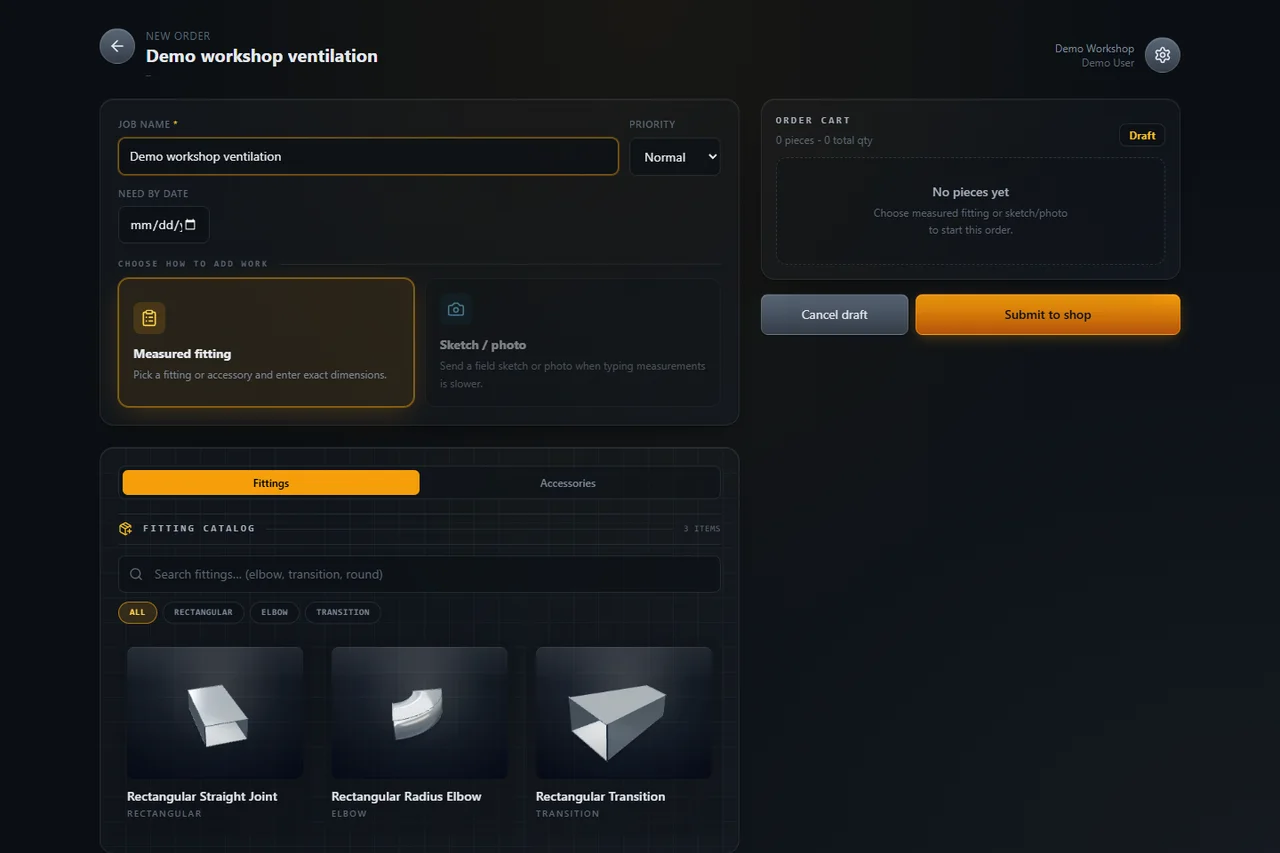 View larger
 01 / Purpose
One order. From request to field work.
Start with what the field needs: measured fittings, accessories, notes and sketch or photo references. The shop can review the request, discuss questions and track item progress. Ready work continues through pickup or driver delivery, keeping the order as a reference when the work returns to the field.
Who it’s for
For HVAC teams whose work spans the field, the shop, and delivery.
Current status
Available to new customers. Visit the Field to Fab website for current product information.
02 / From field to fab and back
Follow the work through each handoff.
Field, shop and delivery share the order context. Here’s how a request fits into the wider job, from the first draft to field completion.
Illustrative workflow · demo contentThe examples below describe a fictional job. They are not application screens or a record of a completed customer order.
Field → Shop
Build the field order
Describe the request with measured fittings, accessories, notes and sketch or photo references. Review the draft before sending it to the shop.
Demo exampleA crew prepares a fitting request for a fictional workshop ventilation job.
Shop / Fabrication
Review and fabricate
Review incoming orders, discuss questions and track item progress. Keep the requested details alongside the work being made.
Demo exampleThe shop checks the requested dimensions and works through the fittings.
Ready → Pickup or delivery
Move ready work
Follow ready work through pickup or driver delivery, with order status visible to the team.
Demo exampleThe finished fittings move back to the job by pickup or delivery.
Field completion
Follow through in the field
Back at the job, use the order details as a reference for the work received and the work still to complete.
Demo exampleThe crew checks the fittings against the request and completes the field work.
The order-entry screenshot above shows an unsaved local demo. This overview does not demonstrate an authenticated end-to-end order or establish product entitlements. Field completion here describes the team’s work at the job.
DuctBuilder supports layout planning; FABDRAFT supports 2D drafting. Both are integrated into Field to Fab, with no separate offer. Explore each overview for its details and limits.
Next step
Explore Field to Fab.
Continue to fieldtofab.com for current product information and access. Ask about the fit for your field, shop and delivery workflow.