An integrated Field to Fab tool
Integrated into Field to Fab
FABDRAFT2D shop drafting in Field to Fab
2D drafting, inside Field to Fab.
Create and refine 2D geometry with drawing, dimension and layer tools.
Explore Field to Fab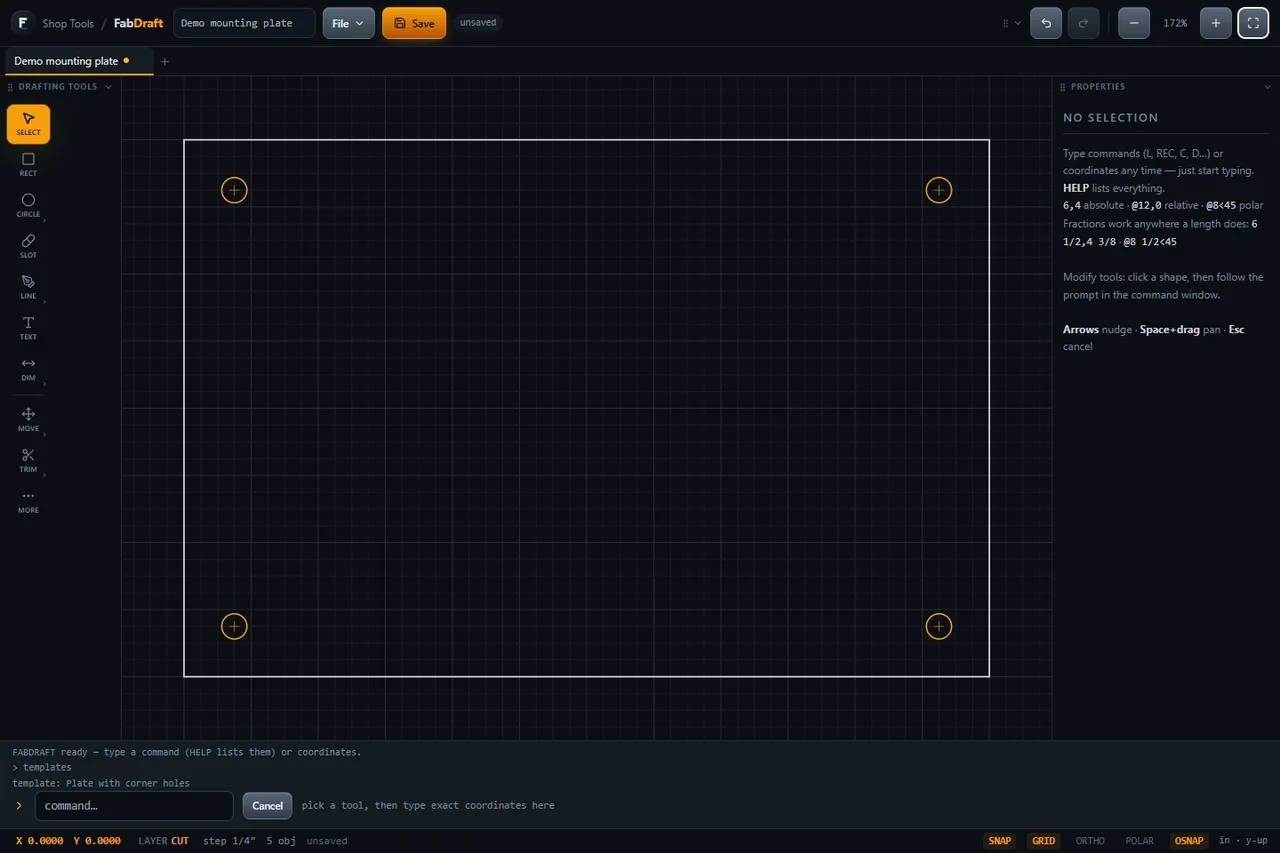 View larger
 01 / Purpose
Work through the geometry.
FABDRAFT is a 2D drafting workspace within Field to Fab. Draw and edit geometry, organize it into layers and add dimensions while keeping control over units and drawing settings.
Who it’s for
For Field to Fab users working on 2D shop drawings and part geometry.
Current status
Part of Field to Fab, with no separate purchase or external destination. Ask about access for your workflow. Machine-ready output and postprocessor compatibility are not established.
Draw and refine
Use lines, polylines, arcs and circles, then refine geometry with tools such as trim, offset and mirror. Snapping and coordinate entry support precise placement.
Organize the drawing
Work with layers, dimensions and drawing settings. Document tabs and undo/redo help manage edits.
Review before export
The tool includes drawing-file save/open and a supported subset of DXF import/export with validation messages. Output needs its own review for the intended equipment and process.
Next step
Explore the Field to Fab toolset.
Start with the parent product, then contact the team about your drafting needs.